
Fabric Modding for Minecraft 1.20.1 — Kaupenjoe
Fabric Modding for Minecraft 1.20.1
🟢 Fabric · Minecraft 1.20

Learn Minecraft Modding
with Fabric 1.20

Over 20 hours of step-by-step video lectures on the Fabric Modding API — from your first block to fully custom mobs. No prior mod experience required. Java Intro Included.

View Curriculum
22+ hours of video
Beginner friendly
Lifetime access

NOT AN OFFICIAL MINECRAFT PRODUCT. NOT APPROVED BY OR ASSOCIATED WITH MOJANG OR MICROSOFT.

What You'll Build

Custom Blocks, Items, Mobs & More

Real, fully functional Minecraft content — built step by step throughout the course.

Custom Armor and Tools

Create Awesome Armor & Tools

Create unique Armor and Custom Tools.

Block Entities

Block Entities with Functionality

Build interactive blocks that store data, process items, and react to the world.
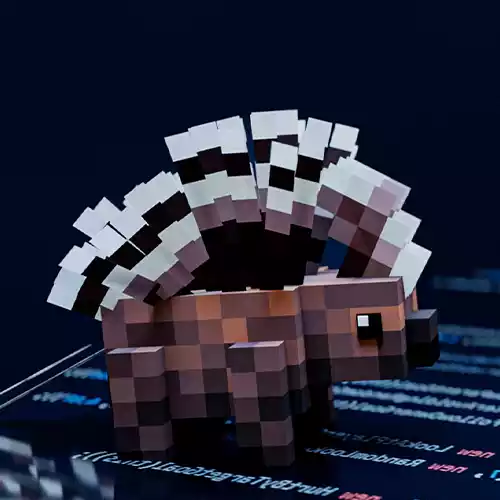
Custom Mobs

Custom Mobs & Entities

Create your own mobs with animations, spawn behavior, rideable and tameable.

Course Overview

Everything you need to
ship your first Fabric mod

This course walks you through the entire Fabric modding pipeline — from setting up your dev environment to publishing a complete, polished mod for Minecraft 1.20.1/.2 only! Not compatible with 1.20.3+.

Custom blocks, items, tools & armor
Block entities, inventories & GUIs
Custom mobs with AI & animations
World generation — ores, structures, biomes
Custom recipes, advancements & loot tables
Full source code for every lesson
22+ Hours of video content
130+ Step-by-step lessons
Best 1.20 Fabric Course
1.20.1 ONLY Compatible with 1.20.1/.2
♾️ Lifetime Access Purchase once · Access forever
Curriculum

What's inside the course

11 modules · 135 lessons · 22+ hours of video

22+ hours of video
135 lessons total
3 free previews available
Lifetime access
Information on this Course ▶ Preview 2:02
How to ask Questions when stuck 2:54
Java Setup11:23
Java Syntax5:05
Java Data Types13:25
Java Console Input & Output14:19
Integers & Math21:34
Java Errors Explained13:33
Java Assignment Operators7:23
Booleans & Logic23:27
If & Switch Statements14:56
Strings & Strings Methods17:16
Exercise 1: Calculator & Resource Miner19:26
Ternary Operator4:50
Casting Variables8:58
For and While Loops12:55
Java Arrays Explained11:56
Java Methods Explained17:44
Exercise 2: Calculator & Resource Miner (With Methods)20:03
Java Collections24:46
Object Oriented Programming Explained7:29
Java Classes & Objects16:55
Access Modifiers13:40
Inheritance & Polymorphism19:40
Interfaces & Abstract Classes21:38
Exercise 3: Calculator, Trivia Game and Resource Miner (With Classes)52:47
Exercise 4: Bank Management System5:21
Anonymous Classes6:29
Exceptions & Try and Catch7:52
Enums & Advanced Enums8:26
Java Generics12:47
Lambda Expressions & Streams38:48
Java Records3:49
Design Patterns: The Observer12:21
Design Patterns: The Singleton Pattern4:04
Design Patterns: The Builder Pattern11:10
Exercise 5: Resource Miner & An RPG4:25
Coding Tip: Java Conventions & Clean Code5:03
Coding Tip: Debugging4:07
Final Thoughts On The Java Series2:32
Fabric Setup, Installation & GitHub21:44
Adding Custom Items▶ Preview15:20
Adding Custom Blocks12:20
Adding a Custom Item Groups4:28
Assignment: Adding Ore Blocks0:48
Solution: Adding Ore Blocks0:44
Adding Custom Recipes9:10
Custom Loot Tables (Drops for Blocks)11:33
Custom Advanced Items15:23
Custom Advanced Blocks10:52
Custom Food Items3:30
Custom Fuel Items2:52
Custom Tooltips3:43
Custom Tags5:00
Custom Data Generation20:22
Custom Stairs & Slab Blocks5:31
Custom Button & Pressure Plate Blocks4:25
Custom Fences & Walls3:58
Custom Doors & Trapdoors5:32
Taking a Look at Vanilla Code3:59
Adding Custom Tools▶ Preview8:24
Adding a Custom Paxel3:34
Adding an Effect on Weapon Hit2:09
Adding Custom Armor10:53
Adding a Custom Full-Armor Effect13:33
Adding Custom Horse Armor3:18
Adding Custom Enchantments6:59
Understanding BlockStates & BlockState Properties10:10
Understanding NBT Data10:06
Adding Custom Model Predicates4:44
Adding a Custom Crop Block9:26
Adding an Item to the Composter1:28
Understanding Mixin9:10
Adding a Command10:40
Understanding Events8:35
Adding a Custom Flower2:54
Adding Custom Sounds5:33
Adding Custom Sounds to Blocks3:40
Adding Custom Music Discs3:42
Adding Custom Block Models8:03
Adding Custom Item Models2:20
Adding a Custom Bow2:47
Adding a Custom Shield5:55
Modifying Vanilla Loot Tables5:55
Adding Custom Paintings6:44
Adding Custom Effects7:33
Adding Custom Potions4:45
Adding & Spawning Custom Particles11:44
Adding Custom Advancements7:59
Adding Custom Villager Trades3:01
Adding Custom Villagers8:49
Adding Custom Fluids12:26
Making a 2D texture with 3D Model in Hand5:31
Adding Animated Item Textures2:22
Looking at other Mods on GitHub2:28
Adding a Custom Block Entity30:33
Adding a Custom Recipe Type20:10
Adding REI Compatability13:01
Adding a Sided Inventory to the Block Entity8:50
Adding Energy Handling to the Block Entity15:43
Adding Fluid Handling to the Block Entity17:04
Adding a Custom Block Entity Renderer8:18
Adding a Custom Wood Type8:02
Adding a Custom Sign9:52
Adding Tree Generation9:18
Adding Ore Generation6:57
Adding Flower Generation4:02
Making a Custom Entity (Mob)17:44
Adding Custom Attack Animations10:27
Custom Entity Variants7:42
Custom Entity Sounds2:02
Adding a Tameable Entity8:25
Adding a Rideable Entity5:47
Making Mob Breedable3:35
Adding a Boss Bar4:01
Making our Mob spawn3:23
Custom Thrown Projectile10:04
Custom Projectile19:26
Trees on a different Block2:14
Custom Trunk Placer10:47
Custom Foliage Placer6:25
Adding Custom Geodes5:48
Custom Boats8:53
Adding a 2 Block High Crop12:57
Biome Colored Block3:55
Adding custom Item to Suspicious Sand4:56
First Steps to Custom Biomes14:58
Adding Custom Dimensions12:39
Updating to 1.20.216:51
Adding Craft Time and Energy Amount to Custom Recipe14:07
Oxidizable Blocks5:46
Adding Entity Loot Tables3:33
Making a Custom Furnace25:34
Custom Structures16:34
Custom Jigsaw Structures11:30
K
Your Instructor

Nico Kaupenjoe

Kaupenjoe has been creating Minecraft Modding tutorials since 2021 and is widely regarded as the go-to resource for learning Minecraft Modding for Fabric, Forge and NeoForge. His structured, beginner-first teaching style has built a community of over 76,000 YouTube subscribers, helping countless learners start creating their own mods, some of which have been downloaded millions of times on CurseForge and Modrinth!

76k+ YouTube Subscribers
9+ Modding Series
2021 Teaching since
Student Reviews

What students are saying

"A big part of that success is what I’d like to thank you, Kaupenjoe, for. You made an awesome Java introduction, your project setup tutorials for different Minecraft versions have helped me countless times and will continue to, and YOU strengthened my belief that Minecraft modding is cool and accessible. Thank you for everything you’ve done for the Minecraft modding community."

V

VladisCrafter

NeoForge 1.21.1 Student

"Thanks kaupen i've been wanting to learn minecraft modding for so long and ive been using mcreator, but i love programming and your fabric series is helping alot. Ive gotten better and i am slowly learning the ins and outs of minecraft modding so THANKYOU!"

A

Alterna

Fabric 1.21.1 student

"Thanks for the tutorials you provided, modding is quite difficult if you don't know what territory you enter. The videos go in detail, usually i use them as sort of a "cheat sheet" to just know what this and that do. But still, the fact this goes in depth is amazing and there are few that commit to this effort. The tutorials also constructed a base for me to get used to fabric more easily. "

MB

McBrincie212

Fabric 1.21.1 student

Enroll Today

Start modding in minutes.

One-time payment. Lifetime access. 30-day money-back guarantee.

Full Course

Fabric Modding for Minecraft 1.20.1

$59.99 $59.99 Save 0%

One-time payment · Lifetime access

20+ hours of video lectures
Full source code for every lesson
Blocks, items, mobs, world gen & more
Lifetime access + free future updates
30-day money-back guarantee

🛡️ 30-day money-back guarantee · No questions asked

NOT AN OFFICIAL MINECRAFT PRODUCT. NOT APPROVED BY OR ASSOCIATED WITH MOJANG OR MICROSOFT.

FAQ

Got Questions?

Everything you need to know about the Fabric 1.21.1 Course.

  • No prior experience needed. The courses start from zero — setting up Java, IntelliJ IDEA, and your development environment — and build up step by step. If you can play Minecraft, you can follow along.
  • NeoForge is the successor to Forge, but they are similar in their style. NeoFroge is the most widely-used modding framework with the biggest ecosystem of mods starting 1.21.1. Fabric is lighter, faster, and updates to new Minecraft versions quicker.
  • The Fabric 1.20.1 course is ONLY compatible with Minecraft Version 1.20.1 and 1.20.2. There are no other update guides available for this course. If you wish to use any other 1.20.X minor version, I cannot recommend this course to you!
  • Yes. All individual courses and the bundle come with a 30-day money-back guarantee, no questions asked. For a refund, use the Contact form on this website or send an email to coursesupport[at]kaupenjoe.net. For more info check out the Refunds page in the footer.
  • Individual courses and the bundle grant lifetime access. Once you buy, you own them forever — including all future updates at no cost.

Choose a Pricing Option